Dorm Desk Organization: Keep Your Surface Clear
A messy desk is a setup problem, not a personality trait. Here's how to organize a dorm desk by zones so everything has a place and the surface stays clear.
In this article
A cluttered desk isn’t about being disorganized as a person. It’s about not having a place for everything. When items don’t have an assigned home, they end up on the nearest flat surface, which is your desk. The fix is a setup problem, not a behavior problem.
Setting up desk zones, a specific place for everything you regularly use, means the desk resets to clear in two minutes rather than requiring a 30-minute declutter session every few days. For the full desk environment including lighting and monitor setup, see Dorm Room Desk Setup.
My desk became the dumping ground for everything within the first week, papers, chargers, notebooks, snacks, receipts. It got to the point where I had to move things aside just to open my laptop. Adding a small organizer helped, but the real change was the habit: two minutes clearing the surface before bed. The biggest difference wasn’t that the desk looked nicer. It was that I could sit down and actually start studying without the clutter pulling my attention somewhere else.
Quick answer: Divide your desk into three zones: Active (laptop/monitor, current notebook, one pen cup, the surface in front of you), Reference (textbooks, planner, charger, within arm’s reach but not on the main surface), and Storage (everything else, in drawers, on a shelf, or in your backpack). Add a monitor riser for under-desk storage and a cable tray to eliminate cord clutter. That setup holds most of the semester without maintenance.
Why the Zone System Works
Most desk organization advice focuses on products, “get this organizer, buy that drawer unit.” The actual problem is that without zones, you make constant micro-decisions about where things go when you’re done with them. Those micro-decisions have friction, so you skip them and leave things on the nearest flat surface.
With zones, there’s no decision. You put the pen in the pen cup. The textbook goes on the reference shelf. The charger goes in the cable tray. You stop thinking about it, and the desk stays clear automatically.
Three zones:
-
Active zone, the desktop surface directly in front of you. Only things you’re actively using right now belong here. At maximum: laptop or monitor, one notebook, one pen.
-
Reference zone, arm’s reach from your chair but not on the active surface. Textbooks for the current semester, your planner, your charger, a water bottle. These things are nearby but not cluttering your working surface.
-
Storage zone, off the desk entirely. Past assignments, extra supplies, cables you use rarely, anything not needed for today’s work. This is your drawer, your backpack, your shelf, or your under-bed storage.
The key question for anything on your desk: Is this here because I’m actively using it, or just because I haven’t put it away yet?
The Active Zone: Your Desktop Surface
What belongs here:
- Your laptop (open) or external monitor
- The notebook you’re currently working in
- One pen or pencil
- Your current assignment or open textbook (while you’re reading it)
What doesn’t belong here:
- Multiple notebooks (only the current one)
- Three pens in a scattered pile (one in use, rest in a cup)
- Your phone (put it face-down on your nightstand while studying)
- A coffee mug and water bottle both at once
- Anything from yesterday’s work that you haven’t put away
Keeping the surface clear: A five-minute end-of-session routine, return everything to its zone, makes this automatic. Put the notebook back on the reference shelf. Cap and return the pen. Close tabs on your laptop. Doing this every time you leave the desk takes less effort than a weekly clean-up and means you always sit down to a clear workspace.
The Monitor or Laptop Setup
Your laptop screen height matters. If it’s flat on the desk, you’re looking down all day, bad for your neck over a semester. A monitor riser or laptop stand brings the screen to eye level.
The good ones do double duty: they create storage space underneath for items that would otherwise be on the surface.
Options:
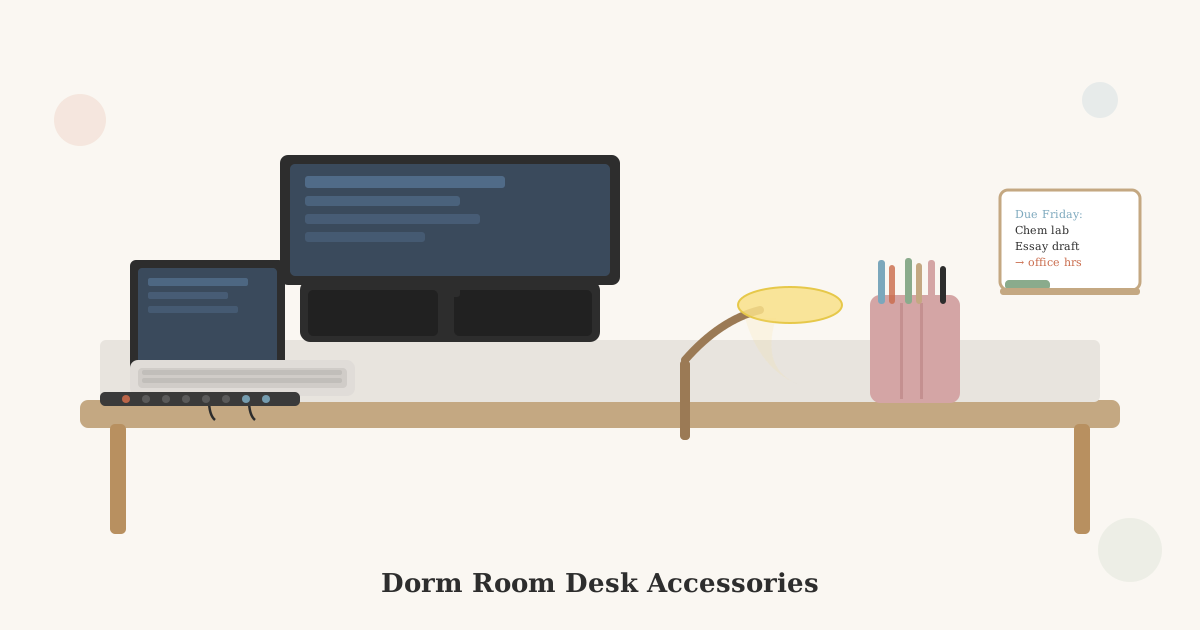
- Monitor riser with drawers, the most useful for a dorm desk. The riser raises your external monitor or laptop, and the small drawers underneath hold a charger, earbuds, sticky notes, pens. Keeps those items off the surface while keeping them within reach.
- Adjustable laptop stand, brings a laptop to eye level and allows pairing with a separate keyboard. Better ergonomically; doesn’t add storage.
- Stacked books, works in a pinch, but the stack isn’t stable and doesn’t add storage.
→ Shop monitor risers with storage on Amazon
→ Shop adjustable laptop stands on Amazon
Cable Management: The Biggest Visual Difference
Loose cables are the fastest way to make a clean desk look cluttered. A cable tray, adhesive clips, or a cable management box eliminates this at the source.
The three cable problems on a dorm desk:
- The power strip cord running across the floor and up the leg of the desk. Use adhesive cable clips to run it along the edge of the desk leg
- The charging cables tangled in a pile, a small velcro tie or cable clip keeps each cable neatly coiled
- The cable drop when you unplug your laptop, a magnetic cable holder mounted to the desk edge holds the USB-C or charging tip so it doesn’t fall behind the desk
Products that help:
- Adhesive cable clips along the back edge of the desk keep cords routed and off the surface
- A cable management tray mounts under the desk and hides the power strip and excess cable length
- Velcro cable ties are reusable and better than zip ties for cables you disconnect regularly
→ Shop cable management clips on Amazon
→ Shop under-desk cable trays on Amazon
The Reference Zone: What Stays Off the Surface
Everything you use regularly but not every active session belongs in the reference zone, within arm’s reach but not cluttering the main surface.
Setup options:
- Desktop shelf or hutch, a small elevated shelf at the back of the desk holds textbooks upright, your planner, and a few small items. Keeps them accessible without using prime surface space.
- Vertical file folder, for loose papers, handouts, and printed assignments sorted by class. A single upright file takes up about 4 inches of horizontal space and eliminates the paper pile.
- Wall shelf above the desk, if your dorm allows Command-strip-mounted shelves, a small floating shelf above the desk surface doubles your reference storage without adding footprint.
- Rolling cart beside the desk, if your desk has no hutch and your room has the floor space, a small two-drawer rolling cart holds textbooks, printer paper, and art supplies out of the way but within reach.
→ Shop small desktop shelves on Amazon
→ Shop vertical file organizers on Amazon
The Pen and Supply Problem
A single pen cup is all most people need on a desk surface. The problem is the pen cup slowly accumulates everything: dried-out pens, six highlighters for a three-highlighter habit, random sticky notes, a USB drive from last year.
The fix:
- Keep only what you actually use on the desk. Go through the pen cup at the start of each semester and remove anything dead or unused.
- If you have a large supply collection (art students, engineering students), keep the collection in a drawer or box and only bring out what you need for the current project.
- A small tray or dish for non-pen items, sticky notes, paperclips, a USB drive, keeps them from mixing into the pen cup.
→ Shop pen cups and desk organizers on Amazon
Desk Organization for Different Student Types
Heavy note-taker (lots of paper): Priority: vertical file organizer sorted by class, a clipboard for active notes, and a way to quickly archive completed work (a hanging file box under the desk or in the closet).
Digital-first student (mostly laptop): Priority: clean cable management, a monitor riser, and a nearly empty surface. The main clutter risk is chargers and dongles, a small cable organizer box handles both.
Art or design student (lots of supplies): Priority: a rolling cart beside the desk with supplies sorted by type, a large pegboard above the desk for frequently used tools, and a designated flat space (separate from the desk) for projects in progress.
STEM student (lab manuals, large textbooks): Priority: a sturdy desktop shelf or wall shelf for large textbooks, a three-ring binder system for handouts by class, and an external monitor for working with multiple windows simultaneously.
Key Takeaways
- Three zones, Active (on the surface, in use now), Reference (arm’s reach, used regularly), Storage (off the desk entirely), eliminate the micro-decisions that cause clutter to accumulate.
- A monitor riser with storage drawers does two jobs: raises your screen to eye level and hides your charger, earbuds, and small supplies underneath.
- Cable management clips and a cable tray make the biggest visual difference per dollar spent, loose cables make any desk look messy.
- A vertical file folder sorted by class eliminates the paper pile that forms on most dorm desks within two weeks.
- A five-minute end-of-session reset, return everything to its zone, is easier than a weekly cleanout and keeps the desk permanently usable.
For your full desk product list, see Best Dorm Desk Accessories and Best Desk Lamps for Dorm Rooms. For the full dorm room setup guide, see Dorm Room Desk Setup.
Related Dorm Guides
- Dorm Room Desk Setup, full desk setup including monitor height, lighting, and ergonomics
- Best Dorm Desk Accessories, products worth adding once your zones are established
- Best Dorm Room Desk Lamps, task lighting that doesn’t add clutter to the surface
- Dorm Room Storage Ideas, storage options for the reference and storage zones beyond the desk surface
- Small Dorm Room Ideas, keeping the desk as part of a clutter-free small room
- Complete Dorm Room Checklist for Freshmen, full list of what to set up including desk organization
Frequently Asked Questions
- Because it doesn't have a designated place for every item. A desk gets cluttered when things don't have a home, so they pile up wherever there's space. The fix isn't to clean more often; it's to create a specific spot for every item you regularly use. Once everything has a place, the desk resets to clear in under two minutes because you're not deciding where things go, you're just returning them.
- On the desk: only active items. Your laptop or monitor, the notebook you're currently using, one pen cup, and your lamp. Everything else, textbooks you're not actively reading, old assignments, charger cables you're not using, snacks, belongs off the surface. Most desk clutter is stuff that should be stored nearby (drawer, shelf, backpack) but ended up on the surface because putting it away takes a decision.
- Use vertical space: a desktop shelf or monitor riser with storage underneath, stackable paper trays mounted on the back of the desk, a pegboard section above the desk, or a small rolling cart tucked beside it. Many dorm desks have a small hutch or shelf above the surface, if yours doesn't, a desktop organizer with upper and lower levels gives you the equivalent. The goal is to move storage off the horizontal surface and into vertical space.
- A monitor riser or desktop shelf with drawers underneath is the single most useful organizer because it does two things: raises your screen to eye level (better for your neck) and creates hidden storage underneath for items like a laptop charger, spare pens, sticky notes, and headphones. Second most useful: a cable management tray or clip system, which eliminates most cable clutter at the source.
Why does my dorm desk get messy so fast?
What should I keep on my dorm desk vs. put away?
How do I organize a dorm desk with no drawers?
What's the most useful desk organizer for a dorm room?