Dorm Room Desk Accessories That Actually Help
A few well-chosen desk accessories turn a bare dorm desk into a functional workspace. Here's what's worth adding, and what just creates clutter.
In this article
A dorm desk is often a bare slab of particle board, functional in the loosest sense, but not set up for actual productive work. A few well-chosen accessories fix this quickly.
The goal is a surface where you can actually focus: screen at eye level, supplies accessible without digging, cables not tangled in your arms, and light good enough to read by without eye strain. For the full desk setup approach including layout and ergonomics, see Dorm Room Desk Setup.
My desk became a disaster within the first two weeks, notebooks, sticky notes, pens, chargers, receipts, snacks. Everything migrated there because there was nowhere else for it to go. Once I added a few drawer organizers and gave everything a specific place, the desk stayed manageable. Not perfect, but manageable enough to actually work at.
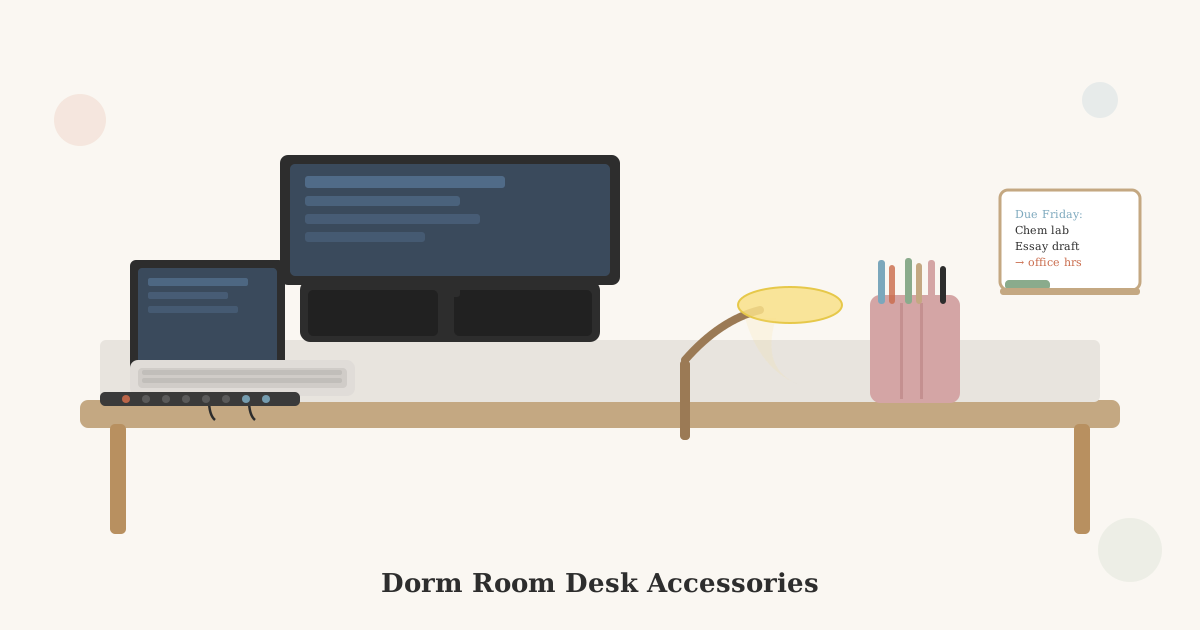
Quick answer: A laptop stand or monitor riser is the single most impactful desk accessory. It raises your screen to eye level and creates space underneath for a keyboard. After that: a desk lamp with adjustable brightness, one compact supply organizer, and three cable management pieces (power strip at the back of the desk, velcro cable ties, and clips at the desk edge). Set it up in that order. Everything else, whiteboards, wireless charging pads, desk pads, is optional; add it after you know what your workflow is actually missing.
The Essentials
Laptop Stand or Monitor Riser
This is the single most impactful desk accessory. Raising your screen to eye level means you stop hunching forward to look down at your laptop, a posture that causes neck and back pain over a full semester.
A laptop stand elevates the laptop 4–6 inches and creates space underneath for a keyboard and mouse. A monitor riser does the same for an external monitor.
What to look for:
- Solid construction (cheap plastic risers flex and wobble)
- Appropriate height, most effective at raising the screen to true eye level, not just a few inches
- Storage space underneath (risers with a shelf or drawer underneath double as supply storage)
If you use a laptop stand, you’ll want an external keyboard and mouse so you can keep the keyboard on the desk surface while the laptop screen is elevated.
→ Shop laptop stands for desks on Amazon
→ Shop monitor risers with storage on Amazon
Desk Organizer or Supply Caddy
A small organizer holds pens, pencils, scissors, sticky notes, and other loose supplies so they’re accessible without cluttering the desk surface. The best design for a dorm desk is a compact vertical organizer or a cup/pencil holder, something that uses vertical space instead of surface space.
What to actually put in it: 2–3 pens you actually use, a pencil, a highlighter, scissors, and sticky notes. Not 25 pens, three rulers, and a stapler you’ll use twice.
→ Shop desk organizers and supply caddies on Amazon
Cable Management
Without intentional cable management, a dorm desk becomes a tangle of charger cables, monitor cables, and power strip cords within a week. Three things solve most of the problem:
Velcro cable ties. Bundle cables that travel together (monitor + power, for example). Reusable, adjustable, cheap.
Cable clips. Adhesive clips mounted at the desk edge keep your laptop charger cable accessible and prevent it from falling to the floor every time you unplug.
One power strip, one location. Position it at the back corner of the desk and run all cables to it. The biggest cause of cable chaos is multiple power strips in different locations.
→ Shop velcro cable ties and cable clips on Amazon
Desk Lamp
The overhead light in most dorm rooms is harsh and positioned wrong for desk work. A dedicated desk lamp gives you better light quality and directs it where you actually need it.
What to look for:
- LED (energy efficient, long-lasting, doesn’t heat up)
- Adjustable brightness (dim for late nights, bright for focused work)
- Adjustable color temperature (warm for relaxed studying, cool for active focus work)
- Flexible neck or adjustable arm to direct light exactly where needed
- USB charging port built in (eliminates one outlet use)
A clip-on lamp saves desk surface space entirely, clips to the edge of a shelf or the top of a monitor.
For a full breakdown of desk lamp options by type and budget, see Best Dorm Desk Lamps.
Useful But Not Essential
Small Whiteboard or Corkboard
A small whiteboard (12×16 or 17×23 inches) mounted above or beside the desk is useful for to-do lists, deadlines, and visual planning. Magnetic whiteboards can hold notes with small magnets. Dry-erase calendars are a variation that works well for tracking the semester.
A corkboard serves the same purpose for physical notes, cards, and papers. Most dorms allow Command strips or damage-free mounting hooks for these.
→ Shop small whiteboards for dorms on Amazon
Wireless Charging Pad
If your phone supports wireless charging, a flat wireless pad on the desk keeps your phone charged passively while you work without adding another cable. Sits flat and takes up almost no space.
Desk Pad or Mat
A large desk pad (typically 31×15 inches or similar) covers the entire desk surface, protects it from scratches and marks, and gives a clean, unified look to the workspace. Makes a cheap particle board desk look more finished. Also provides a smooth mousing surface for the whole width of the desk.
→ Shop desk pads and mats on Amazon
What to Skip
A paper inbox/outbox tray. Sounds organized, becomes a paper pile. Digital organization is more practical in college.
A full desktop pen collection. You use 2–3 writing tools. Having 20 on your desk creates visual noise and takes up space.
Decorative items that sit on the desk surface. A small succulent or a meaningful photo is fine. A collection of figurines, candles, and tchotchkes is clutter that you’ll move every time you need to spread out a project.
A desk clock. Your laptop, phone, and any external monitor all show the time. A separate desk clock is redundant.
The Setup Order
If you’re setting up a desk from scratch:
- Mount the laptop stand or monitor riser first, everything else positions around it
- Place the power strip at the back, run cables to it
- Use cable clips at the desk edge to keep cables off the floor
- Add the desk lamp to one side
- Add a small organizer to one corner for supplies
- Everything else is optional. Add only what you find yourself actually needing
Key Takeaways
- A laptop stand or monitor riser is the highest-impact desk accessory, raises the screen to eye level, eliminates hunching, and creates space underneath for a keyboard.
- One power strip at the back + velcro cable ties + cable clips at the edge handles 90% of cable chaos without buying specialized cable management systems.
- A desk lamp with adjustable brightness and color temperature handles both late-night casual use and focused study from a single fixture.
- Keep the supply organizer small: 2–3 pens, a pencil, scissors, and sticky notes, not a 25-pen collection.
- Skip the paper inbox/outbox tray. It becomes a paper pile within a week; digital organization works better in college.
- Set up in order: stand first → power strip → lamp → organizer; everything positions around the monitor height.
- Add optional accessories only after you’ve used the desk for a week or two and know what’s actually missing.
For the full desk setup approach, see Dorm Room Desk Setup and Dorm Room Tech Setup.
Related Dorm Guides
- Dorm Room Desk Setup, full desk setup including monitor positioning, ergonomics, and lighting angle
- Best Dorm Room Desk Lamps, lumens, color temperature, and lamp type options for desk work
- Dorm Room Desk Organization, zone system for keeping the desk surface clear all semester
- Dorm Room Tech Setup, external monitors, peripherals, and cables to go with your accessories
- Best Laptops for College, the device your desk accessories are built around
- Dorm Room Storage Ideas, storage for the reference and storage zones beyond the desk
Frequently Asked Questions
- The high-impact ones: a monitor stand or laptop riser (raises screen to eye level), a small desk organizer for pens and supplies, a cable management solution, and a good desk lamp. Beyond that, the right additions depend on your workflow, a whiteboard for visual thinkers, a cable charging station if you have multiple devices. Resist buying everything at once; see what your desk is actually missing after a week or two.
- Not required, but an external monitor is one of the highest-value desk upgrades for students who spend a lot of time on a laptop. A 24-inch screen connected to your laptop gives you significantly more workspace for writing papers, research, and multitasking. It's also easier on your neck than hunching over a laptop. See Dorm Room Tech Setup for more on external monitors.
- One dedicated organizer (a small caddy or cup for writing tools, a tray for papers), a charging spot for your devices, and everything else off the surface when not in use. The main problem with small desks is treating them as general storage, keys, water bottles, books, chargers all accumulate and crowd out actual workspace. Clear the desk at the end of every study session.
- An LED desk lamp with adjustable brightness and color temperature is the most functional choice. Warm light (2700K) is better for relaxing; cool light (5000K) is better for focused work. A lamp with both settings lets you use one lamp for all situations. A clip-on lamp saves desk surface space if your desk is small. See Best Dorm Desk Lamps for a full guide.
What accessories do I need for a dorm room desk?
Do I need a monitor for my dorm room desk?
How do I keep a small dorm desk organized?
What is a good desk lamp for a dorm room?